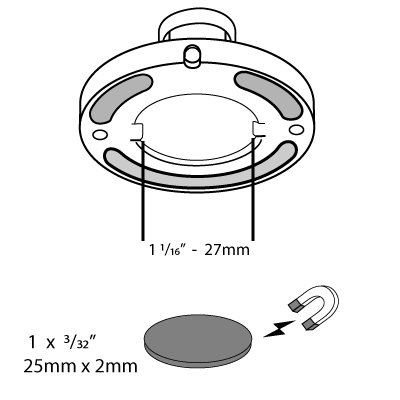
The Blink Camera Stand is a Blink accessory mount providing the following features.
- Freestanding on a surface.
- Can be attached to a surface with screws.
- Can be secured magnetically.
- Pass-through design for power cable and an opening tool.
The Camera Stand is not the same as the Volcano Mount included with Blink cameras. Click to learn more about the Volcano Mount for Indoor (2nd Gen) and Outdoor cameras.
The black and white Blink Camera Stands include an L-shaped mounting bracket in the box. Click to view the Amazon purchase page for the Blink camera stand in black or in white.
To use the camera stand with a Blink camera:
Horizontal placement (such as desktop or ceiling)
Use the L-shaped mounting bracket to connect the camera to the stand.
You may need to connect the camera to the bracket before connecting the bracket to the stand. Notice also that an opening allows you to access the battery compartment screw while leaving the camera back attached to the mounting bracket.
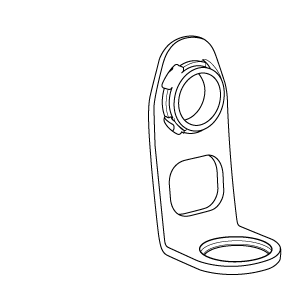

Insert the mounting bracket into the opening in the camera back cover and press evenly until a click is heard and/or felt.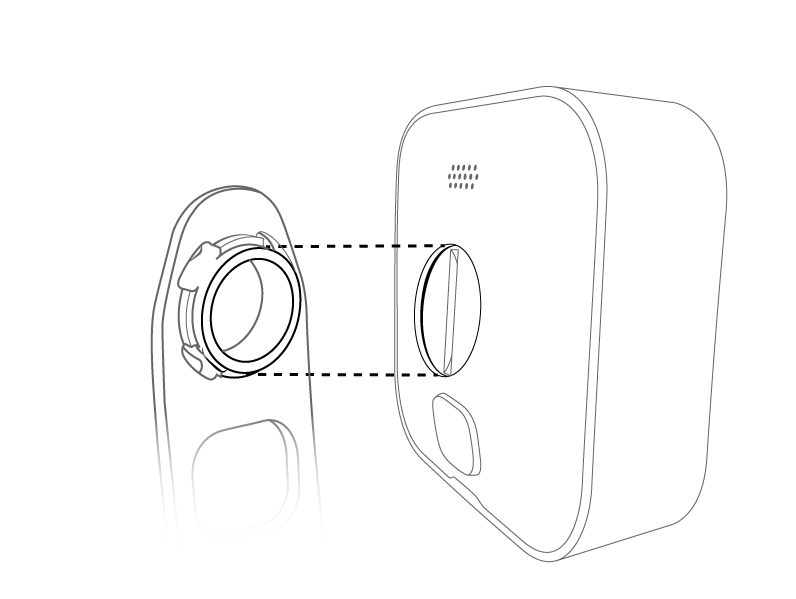
Test the connections by gently pulling (they should not come apart easily).
Vertical surface placement (such as a wall or pole)
Connect your camera directly to the stand.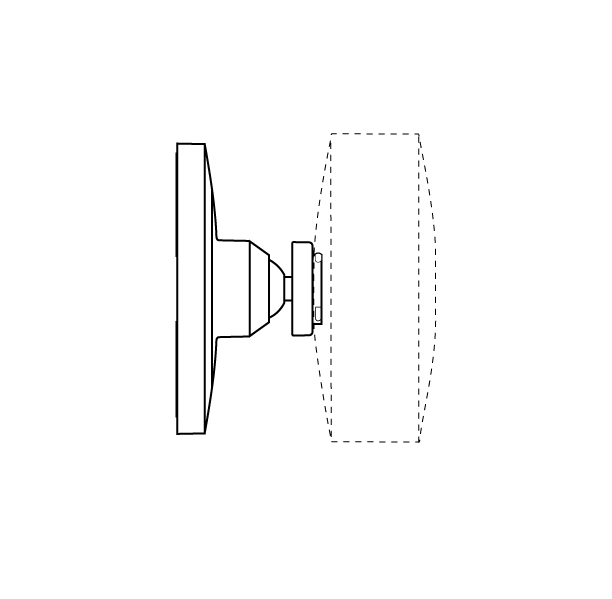
Camera stand dimensions
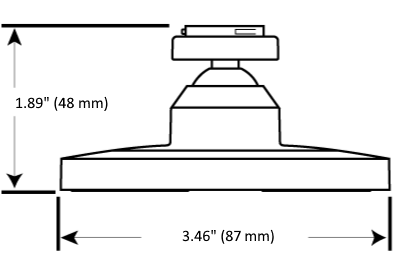
For a magnetic connection
The base of the Blink Camera Stand is weighted with steel washers. A 1 inch (25 mm) diameter disc-shaped magnet fits into the recessed area well, but ensure that the magnet is strong enough to hold the entire weight of the camera and stand.